星期五, 9月 24, 2010

Threats and security risks on the Web

1. Which web browser setting controls how a web browser receives information that is automatically saved to your hard disk?

Cookies
Security
Proxy
Mail server


2. A macro virus will typically affect the file currently open on your computer.

A boot-sector virus infects a portion of your hard disk.

To fill the first blank, select one of the options below. The other option will automatically appear in the second blank.

macro
boot-sector


3. Which of the following terms describes information about a user that is stored on a client machine by a web browser?

Choose an option.

A cookie
A cache
A MIME
A certificate


4. Why is it important to frequently update the virus definition files on your virus protection software?

Choose an option.

To prevent hacking attempts
To keep abreast of the newest viruses
To prevent viruses from infecting your CD-ROMs
To automatically patch your word-processing software

星期四, 9月 23, 2010

Introduction to network security threats

1. Which of the following definitions refers to data becoming corrupt due to incorrect inputting procedures?

Choose an option.

Malicious threat
Inappropriate activity
Nuisance threat
Accidental loss

2. Which of the following terms describes the event whereby a hacker installs a virus on your computer and then tries to make you inadvertently activate it?

Choose an option.

Denial of Service (DoS)
Trojan horse
Packet sniffing
E-mail spoofing

3. Which of the following should be disabled in order to discern whether a file is a virus?

Choose an option.

Hide file extensions for known file types in Windows
Java, JavaScript, and Active X in browsers
Denial of Service (DoS)
Chat sites

星期三, 9月 22, 2010

Network security components

1. In symmetrical encryption, a private key is used, whereas in asymmetrical encryption, both public and private keys are used.

To fill the first blank, select one of the options below. The other option will automatically appear in the second blank.

asymmetrical
symmetrical


2. Which of the following steps can be implemented to prevent virus attacks?

Choose more than one option.

Prevent unauthorized users accessing the Internet
Use access control
Use software packages to immunize your system
Use virus scanners to search for viruses each time you boot up


3. Which of the following is a collection of components that acts as a barrier between a private network and the outside world?

Choose an option.

Encrypted tunnel
Firewall
Virtual Private Network (VPN)
Virus


4. When you receive a message encrypted by the sender's private key, you decrypt it using the sender's public key.

Choose an option below to fill in the blank.

private
public


5. IDS systems work by calculating baselines for each of the parameters monitored. Your system is said to be operating normally when the parameter values recorded are within the baselines.

Choose an option below to fill in the blank.

outside
within


6. Which of the following are common user authentication systems?

Choose more than one option.

Biometrics
Digital signatures
Passwords
Personal tokens

星期二, 9月 21, 2010

Overview of the Internet

1. Which of the following is a valid IP address?

Choose an option.

204.115
204.115.34
204.115.34.10
204.115.34.10.102


2. Which protocol is used by computers on the Internet to communicate with each other?

Choose an option.

IPX/SPX
NetBEUI
TCP/IP
DECNet


3. The SMTP protocol is used for which of the following?

Sending e-mail messages between mail servers
Transferring outgoing e-mail messages from a client to a server
Exchanging newsgroup messages
Transferring incoming e-mail messages from a mail server to a mail client


4. What is the correct URL syntax for a company called Imagenie?

http://www.imagenie.com
http//www.imagenie.com
imagenie@www.http.com
www/imagenie/com


5. __________ is the protocol used between a web server and a web browser when web pages are downloaded during a web browsing session.

Choose an option below to fill in the blank.

HTML
HTTP
FTP
Telnet


6. Let's say that you need to establish a web site that your employees can use to see human resources information and internal documents.

Which type of site should you create to do this?

Choose an option.

An Internet site
An intranet
An extranet
A virtual private network


7. Which of the following must you have to access an extranet?

Choose more than one option.

The correct URL
A valid username
A password
A digital certificate


8. are networks that are partially accessible to authorized outsiders.

Choose an option below to fill in the blank.

Internets
Extranets
Intranets


9. Which TCP/IP protocol is used for sending and receiving newsgroup messages?

FTP
HTTP
LDAP
NNTP

星期三, 9月 15, 2010

Before I tell you the factors that lead unhappy marriage

Before I tell you the factors that lead unhappy marriage, let me show you the trend of divorce rate. In this table, you can see that the number of divorce decrees is getting higher and higher. In 2006, there are about 17 thousands of couples getting divorce. But why do they have unhappy marriage even end in divorce?
Firstly, some couples may get married because of premarital pregnancy. In this situation, we can see that the partners have fatuous love. Although the partners have passion to share sex and have a commitment to take care of their baby, they may have not yet develop other aspects of true intimacy and may lack a real understanding of who they are marrying. It has many problems that leading they have an unhappy marriage.
Here is an example of it. Ada and Ken get married because of premarital pregnancy. But they need to face lots of problems such as mentally and financial problems. And Ada have bad relationship with Ken’s mother but Ken doesn’t help Ada to solve the problem. Finally, Ada regrets to get marry and have the baby.
Next is poor communication, mother Teresa said “if youjudge people, you have no time to love them. Couples may have do so that lead unhappiness. The reasons are couples may busy in work, so they do not pay attention to or concern with their spouse or even have conflicts with their spouse such as household task. They will complain their spouse, for instance, "He never listens to me when I talk!"
"She talks and talks, but never actually says anything!"
Another factor is the partners get married too fast. They have infatuated love because they only have passion to get married. They do not have deeply understanding to each other.

星期二, 9月 14, 2010

Installation of Lotus Notes R5 Guide (Lotus client 5.0.11)

Installation from CD-ROM is preferred and the following steps can be followed.
Wait for Auto Run of the Lotus installation program start.
On the screen “Please select from the following options”, choose “Install”.


On the screen, Click “Clients….”.


On the next screen, choose “Lotus Notes”.


Click “Standard install”.


Select “Next”.


Click “yes” to confirm.

Input the Name field and the company field.


Click “Next” to confirm install on default directory.


 Click “Next”.

Click “Finish” to complete.

The following steps can be followed to configure the Lotus Notes Client.
Running Lotus Notes is started by clicking “Start” -> “Program” -> “Lotus Applications” -> “Lotus Notes”.
On the screen “Setting up connections”, click “Next”.


Select “I want to connect to a Domino server.”.
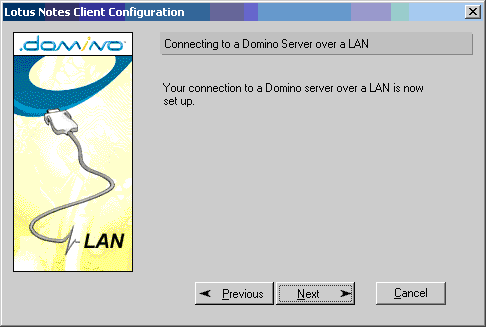
 Choose “Set up a connection to a local area network (LAN)”.

Input the mail server name into Domino server name field. (for example: madh02n)


Click “Browse” button to select the user ID.


A message is prompted for copying the ID file to the data directory (default directory : c:\lotus\notes\data), click “Yes”.
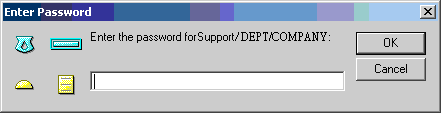
 Enter password for that user ID.


On the screen, Choose “I don’t want to create an Internet mail account.”
 On the screen, Choose “I don’t want to connect to a news server.”

On the screen, Choose “I don’t want to connect to another directory server.”
 On the screen, Select “I do not connect to the Internet through a proxy server.”

On the screen, Choose “Connect over local area network (or cable modem).”
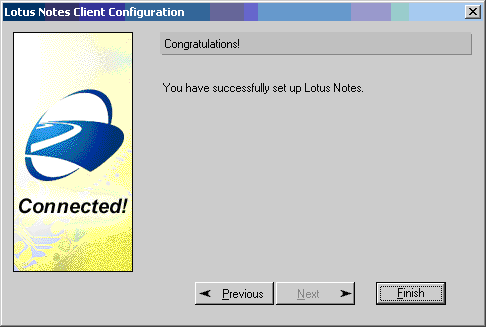
 Click “Finish”.

On the screen, Lotus Notes default use welcome page.

Click “database” icon on bookmark bar. Select “Workspace” and then right click mouse button should be show popup menu. Choice “Set bookmark as Home page.”

Click “Yes” to confirm, and then the installation should be finished.

星期一, 9月 13, 2010

使用 Lotus Notes 標記郵件為已讀取 / 未讀取 (read / unread) ?

在 inbox 中選擇該郵件之後,只需單按鍵盤上的「insert」鍵便可。同時該郵件的顏色亦會轉變。


紅色:未讀郵件
黑色:已讀郵件

推薦此文